Dive into the details of the experiment
The VAAST was created using jsPsych.
The technology behind the experiment is 3 plugins: vaast-fixation, vaast-text and vaast-image, that you can find in the zip file.
These plugins make it possible for a participant to view a fixation cross for a random duration on a background screen.
They also make the movement happen when a participant chooses to approach or avoid a stimulus.
These plugins have a few parameters that can allow you to customise your experiment. Let's see in more details:
We're using which plugin, where?
Please find below, multiple tables containing all the parameters of each plugin. Below each table, you will find examples of code for typical trials in the VAAST.
vaast-fixation plugin parameters
| Parameter | Type | Default Value | Description |
|---|---|---|---|
| fixation | STRING | '+' | The string that is displayed as fixation. |
| font_size | INT | 200 | Font size of the fixations text. |
| min_duration | INT | 800 | Minimal duration (in ms). |
| max_duration | INT | 2000 | Maximal duration (in ms). |
| background_images | IMAGE | undefined | An array with the images displayed as background as function of the position. |
| position | INT | 3 | The position in the "background_images" array which will be used to set the background. |
Examples of vaast-fixation trial
const vaast_fixation = {
  type: jsPsychVaastFixation,
  fixation: "+",
  font_size: 46,
  position: 1,
  background_images: background
}A little tree to see more clearly
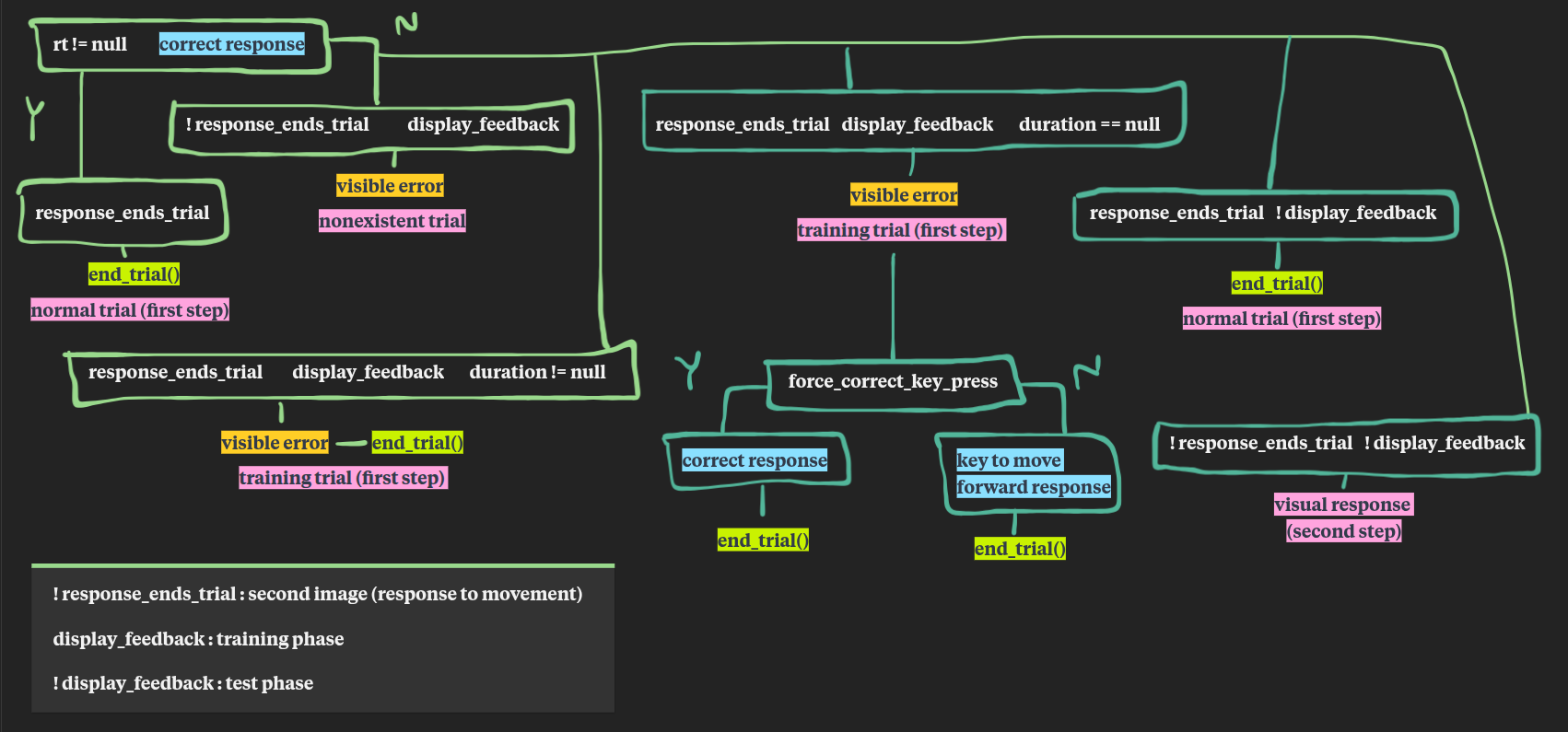
Note about a quick flash
Please note that a flash appears on the screen the first time a movement is made in either direction. Meaning, the first time the background image goes from center to closer and from center to further, there's a flash in the time bewteen the two images being shown. Note that it only happens once, as it probably has to do with the preloading of the images not working properly. Thus, if you choose not to use a training session (unlike we do), the first experimental trials might be slightly different from the next ones.